> For the complete documentation index, see [llms.txt](https://docs.earn.polynomial.fi/llms.txt). Markdown versions of documentation pages are available by appending `.md` to page URLs; this page is available as [Markdown](https://docs.earn.polynomial.fi/technical-implementation/deposit/deposit-from-ethereum-arbitrum-and-polygon.md).
# Deposit from Ethereum,Arbitrum\&Polygon
### **Polynomial Portal**
Users can deposit assets from any EVM chain into the polynomial earn vaults. Under the hood, this asset is bridged via Hop or Optimism bridge to Optimism using [Socket](https://socket.tech/). After which, this asset is converted automatically to the asset used in the vault and deposited into the vault. Assets supported are stable pairs and are converted using Curve.
Currently, it is available with Ethereum, Arbitrum and Polygon as chains. And supporting ETH and USDC as assets.
#### How it works
1. The user first selects the chain and token to deposit into the earn vaults.
2. When a bridging transaction is requested, a unique address is generated for the user (on optimism) based on the deposit amount, token, user address and the vault they are depositing.
3. The bridging amount is sent to this address once the amount is in this address, a contract is deployed to that address to finish depositing to the vault.
4. Once the contract is created, the contract performs a swap (if required) and deposits to the vault.
### Deposit flow
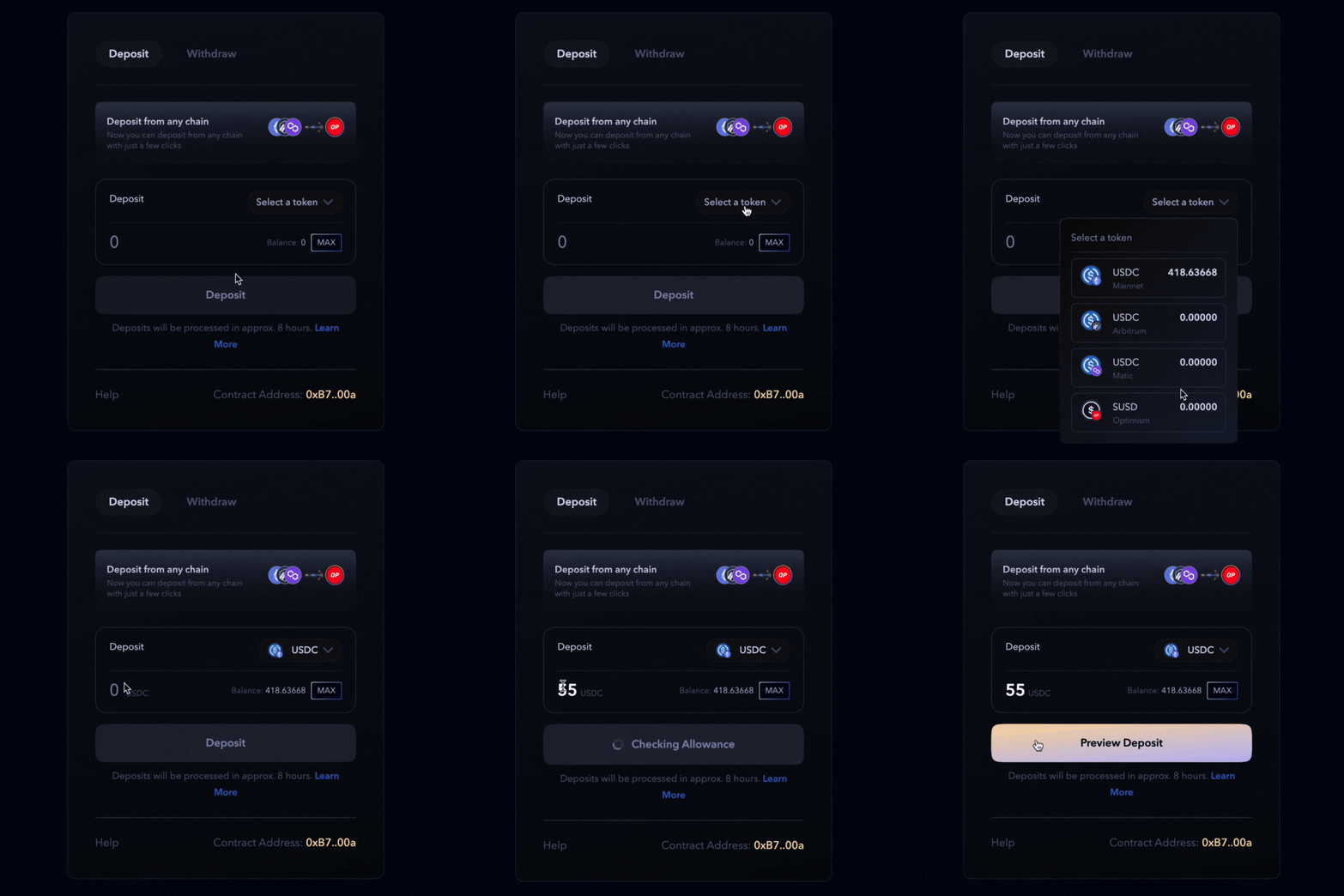
Select the asset from the supported chain and enter the amount to deposit.
After entering the amount, click deposit and the asset is converted automatically to the asset used in the vault and deposited into the vault.
.gif?alt=media&token=fd9f238a-746c-48e0-8ab1-a6828b65b03a)